

The Art and Science of Modern Website Design
In today’s digital world, your website is often the first “handshake” you have with a potential customer. Whether you are a small business owner, a budding blogger, or a corporate professional, understanding the basics of website design is no longer just for tech experts—it’s a vital skill for anyone looking to make a mark online.
But what actually goes into a great website? It’s more than just picking a few pretty colors and a cool font. It is a mix of visual storytelling, technical structure, and user psychology.
1. Defining the Purpose: Why Are You Building This?
Before you touch a single line of code or open a design tool, you must ask: What is the goal? A website without a purpose is like a house without a foundation. Common goals include:
-
E-commerce: Selling products directly to consumers.
-
Informational: Providing data, news, or educational content.
-
Portfolio: Showcasing your creative work to get hired.
-
Lead Generation: Encouraging people to sign up for a newsletter or request a quote.
Once you know your goal, every design choice—from the layout to the “Buy Now” button—should serve that objective.
2. Understanding the User Experience (UX)
User Experience, or UX, is a term you’ll hear often. In simple English, it just means: How easy and pleasant is it to use your website?
Imagine walking into a grocery store where the milk is in the ceiling and the checkout counter is hidden in the basement. You’d leave immediately, right? The same applies to websites.
Key Elements of Good UX:
-
Simple Navigation: Your menu should be easy to find. Users should be able to get where they want to go in three clicks or less.
-
Fast Loading Speeds: Most people will leave a site if it takes longer than three seconds to load.
-
Mobile Responsiveness: More than half of all web traffic comes from mobile devices. Your site must look just as good on a smartphone as it does on a 27-inch monitor.
3. The Visuals: User Interface (UI) Design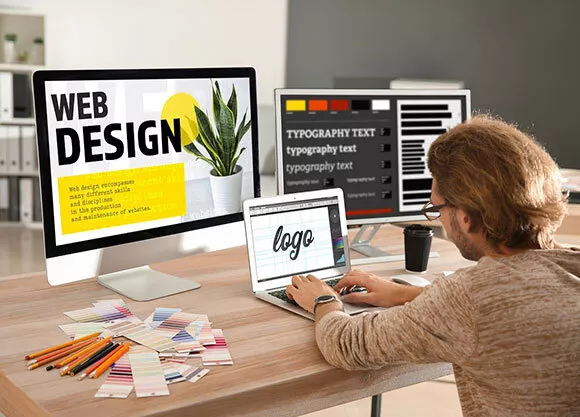
While UX is about how it works, UI (User Interface) is about how it looks. This is the “art” part of the process.
Color Theory
Colors evoke emotions. Blue often represents trust and professionalism (think Facebook or LinkedIn), while red can signal excitement or urgency. Use a consistent color palette—usually one primary color, one secondary color, and an accent color for buttons.
Typography
Fonts should be readable first and stylish second. Sans-serif fonts (like Arial or Helvetica) are generally easier to read on digital screens because they are clean and modern.
White Space
Don’t be afraid of “empty” space. White space helps separate different sections of your site, making the content easier to digest. It prevents the user from feeling overwhelmed by too much information at once.
4. The Anatomy of a High-Converting Homepage
The homepage is usually your most visited page. To keep people interested, most successful designs follow a specific structure:
-
The Header: Contains your logo and navigation menu.
-
The Hero Section: The big “billboard” at the top. It should have a clear headline, a sub-headline, and a Call to Action (CTA) button (e.g., “Get Started” or “Shop Now”).
-
The Features/Services: A brief breakdown of what you offer.
-
Social Proof: Testimonials, reviews, or logos of companies you’ve worked with. This builds trust.
-
The Footer: Contact info, social media links, and copyright details.
5. Content is King (But Design is the Queen)
You can have the most beautiful website in the world, but if the writing is poor or confusing, people won’t stay.
-
Be Concise: People don’t read websites; they scan them. Use bullet points, short paragraphs, and clear headings.
-
Visual Content: Use high-quality images and videos. Avoid “cheesy” stock photos that look fake. Original photography always performs better.
-
SEO (Search Engine Optimization): Use keywords in your headings and text so that Google can find you. A well-designed site that nobody can find is like a masterpiece hidden in a dark closet.
6. Technical Foundations: Tools of the Trade
You don’t need to be a computer scientist to build a website anymore. There are three main ways to get started:
| Method | Best For… | Difficulty |
| Website Builders (Wix, Squarespace) | Beginners & Small Businesses | Very Easy (Drag & Drop) |
| CMS (WordPress) | Bloggers & Content Creators | Medium (Highly Customizable) |
| Custom Coding (HTML, CSS, JS) | Large Corporations & Tech Apps | Hard (Requires Schooling/Experience) |
7. Testing and Launching
Before you hit “Publish,” you need to test your site. Open it on different browsers (Chrome, Safari, Firefox) and different devices. Check every link to make sure it isn’t broken. Ask a friend to try and “buy” something or “contact” you to see if they encounter any friction.
Design is never truly “finished.” The best websites are constantly evolving based on user feedback and new trends.
Summary
Website design is a journey of finding the balance between beauty and function. By focusing on your user’s needs, keeping your visuals clean, and ensuring your site is fast and mobile-friendly, you will be well on your way to creating a digital space that people love to visit.